Lesson 01 · 13:17
Incident report
Start an incident, document the event and injury findings, then add statements, notifications, and follow-up documentation.
- 01
Open Incidents
From Clinical, open Risk Management or Incidents, then confirm you are on the Active tab.
- 02
Start the incident
Select Add Incident. Choose the correct resident, incident date and time, type or nature of incident, location, and the person preparing the report.
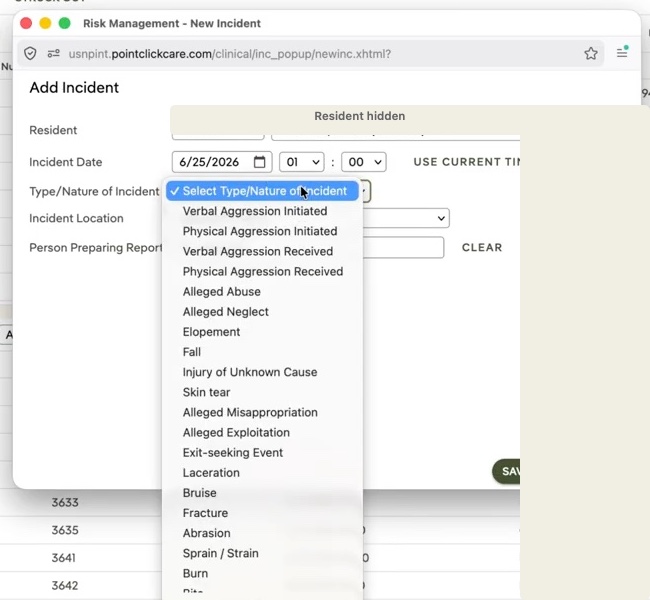
Add Incident — choose the event type and basic detailsOpen this moment ↗ - 03
Document the event and injury findings
Complete Details and Immediate Action Taken. In Injuries, record whether an injury was observed, pain level, mental status, and the requested injury information.
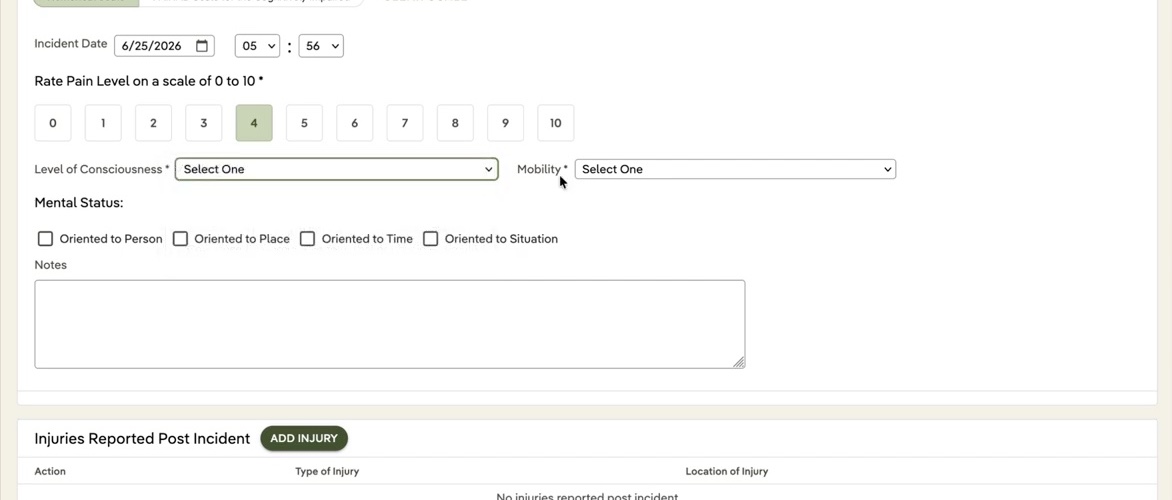
Injuries — complete pain, mental-status, and injury fieldsOpen this moment ↗ - 04
Add contributing factors
Review the Factors section and select only the environmental, physiological, or situational factors that apply.
- 05
Add statements and notifications
Use Add Statement for witness or staff statements. Add provider, representative, supervisor, or other notifications in the Notifications section, including the actual date and time.
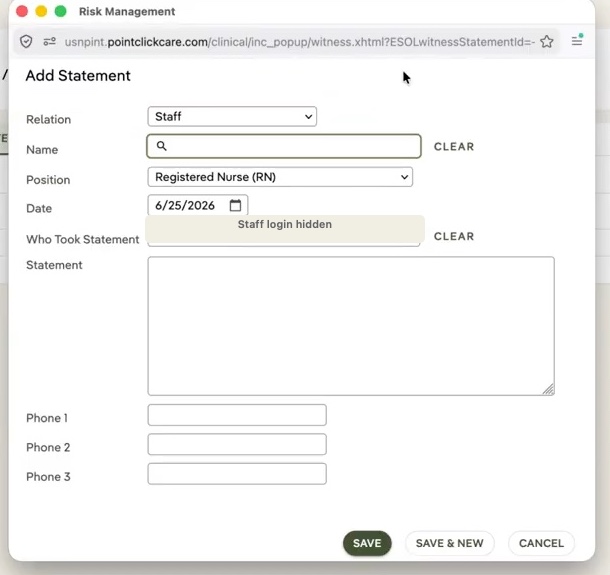
Statements — record who provided the statement and what was saidOpen this moment ↗ - 06
Review and finish
Add the related progress note or care-plan follow-up when required. Review every section, save, and confirm the incident appears in the correct list.